Pegasus Opera 3 is a business and accounting system that supports areas including finance, payroll, supply chain management, CRM and manufacturing. For businesses looking to move to a cloud-based ERP system, Microsoft Dynamics 365 Business Central provides a broader platform for managing areas such as finance, stock, purchasing, manufacturing and service management.
For businesses considering a move from Opera 3 to Business Central, it is also important to consider how existing data will be transferred, which information needs to be retained and when the move to the new system should take place.
As a modular ERP and payroll solution, Opera has supported organisations for many years, particularly those in manufacturing, production, wholesale and distribution, and construction. However, as businesses grow, their expectations change. Teams increasingly need faster reporting, greater automation, easier remote access, and systems that integrate smoothly with the tools they use every day.
That is why many organisations are now reviewing whether Pegasus Opera remains the right platform for their long-term goals, and whether Microsoft Dynamics 365 Business Central is a better fit.
Why UK businesses are reviewing Pegasus Opera 3
Pegasus Opera remains a capable solution, but its traditional architecture can be restrictive for businesses seeking the flexibility of a modern cloud ERP system.
Many organisations are looking to reduce their dependence on on-premises servers and local IT infrastructure. Maintaining hardware, managing backups, applying updates, and keeping networks running adds time, cost and hidden complexity. Moving to cloud-based software removes much of that overhead and makes systems easier to reach.
Reporting is another common consideration. Businesses often need real-time insights across departments such as finance, stock, purchasing, sales and production. Gathering detailed, multi-module reports from a traditional desktop ERP can be considerably time-consuming and may require additional spreadsheets, manual exports or third-party reporting tools.
With the rise of hybrid and remote working, expectations have also changed. Employees expect secure access to their systems from different locations and devices. A desktop-led system that depends on a local network to be stable and secure makes that harder to provide securely.
There will also be growing costs associated with maintaining legacy software, for example:
- Infrastructure upgrades will increase in cost and create risks.
- Changes to servers, networks, antivirus software, or databases may require additional testing and support.
These challenges raise a single question: does your current ERP system still support the way the business wants to operate in the long run?
What does Microsoft Dynamics 365 Business Central offer?
Microsoft Dynamics 365 Business Central is a cloud-based ERP platform designed for growing small to medium-sized businesses that need more control, visibility, and flexibility as they grow.
It allows finance, sales, purchasing, inventory, projects, warehousing, manufacturing and service management to work together in one connected platform. Business Central can provide a modern foundation without the need to rely on third-party systems for different departments.
Business Central is also a great solution for organisations that deal with more complex operational processes such as:
- Multi-location inventory and warehouse management
- Manufacturing, assembly, bills of materials and production orders
- Financial management, budgeting, cash flow and reporting
Compared to a traditional ERP system, Business Central is accessed through a web browser or mobile app. Users can securely access the platform wherever they are working, without relying on a specific location in the office. Business Central is hosted within Microsoft’s cloud infrastructure, which is part of the wider Microsoft Dynamics 365 Platform. Microsoft publishes the full functional scope and licensing detail in its Business Central documentation.
| Pegasus Opera 3 | Microsoft Dynamics 365 Business Central | |
|---|---|---|
| Deployment | Can be installed on-premises or hosted | Cloud-based ERP hosted within Microsoft’s cloud |
| Access | Primarily accessed through a desktop | Can be accessed through a web browser or mobile app |
| Reporting | Provides reporting and business intelligence tools | Provides reporting and analytics, with integration with Power BI |
| Microsoft 365 integration | Integrates with Microsoft applications including Excel, Word and Outlook | Integrates with Microsoft 365 applications including Excel, Outlook, Word and Teams |
| Update model | Updates are available for supported versions | Regular updates are provided by Microsoft throughout the year |
| Scalability | A modular system that can be configured around business requirements | Designed to support businesses as they grow, with functionality across finance, supply chain, manufacturing and service |
How does Business Central fit modern ways of working?
For many businesses, the reason for moving to Business Central is not simply to replace their existing software, but to create a more connected and efficient way of working.
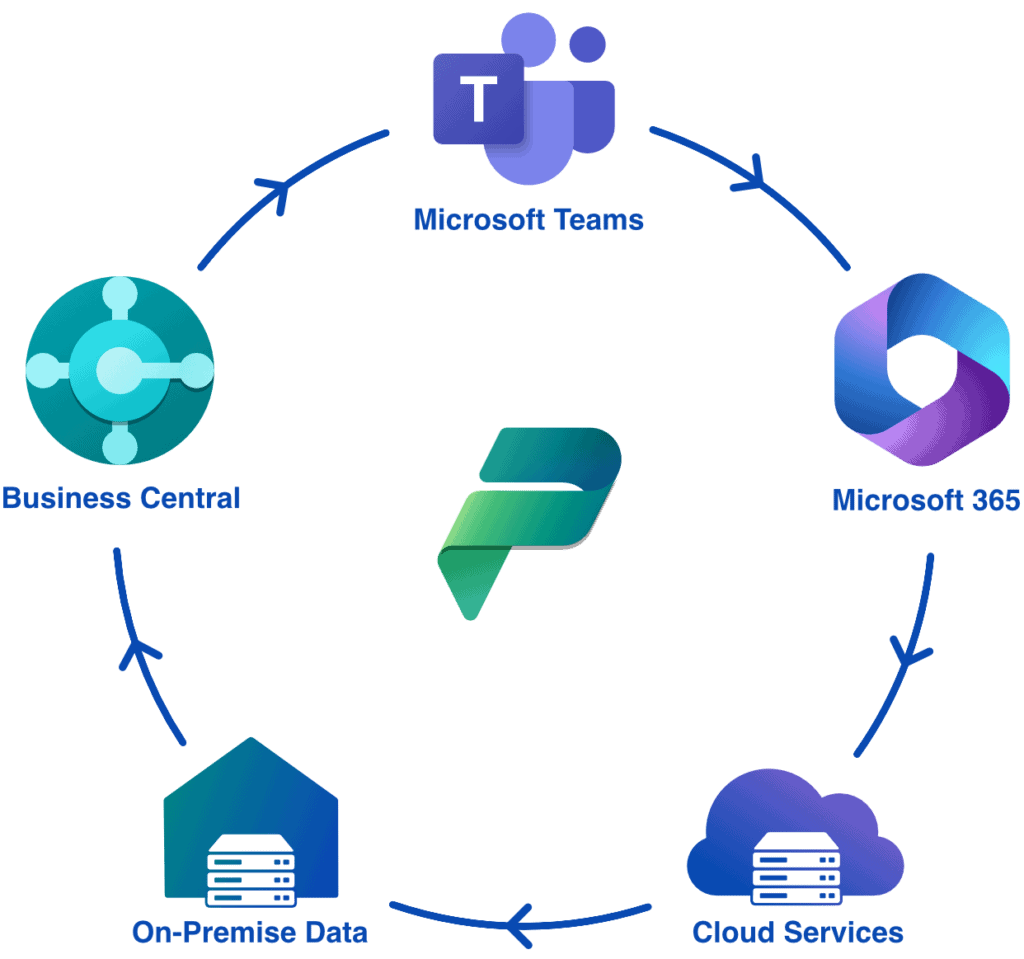
Business Central supports this by bringing ERP processes closer to a range of Microsoft tools that many employees already use every day.
The wider ecosystem can include:
- Power BI for interactive reporting and dashboards
- Power Automate for workflow automation
- Power Platform for apps and process improvements & Agentic AI
- Microsoft 365 for day-to-day productivity
For businesses still relying on spreadsheets, manual exports and reports emailed between departments, Business Central means teams work from a single shared source of data.

What changes when you move off local servers?
One of the most significant advantages of moving to a cloud ERP platform is reducing the dependence on local servers. Within a traditional on-premises environment, a business may need to manage server hardware, backups, network performance, software updates, and antivirus compatibility. Any issues that affect the local environment can disrupt access for users.
Cloud access also helps businesses establish more consistent ways of working, because users access the same data whether they are in the office, visiting another site or working from home.
Common concerns about moving from Pegasus Opera 3
Migrating an ERP system is not an easy decision, and questions about data, downtime, training and cost come up early. A well-planned migration addresses each of them from the outset.
Can data be migrated from Pegasus Opera 3?
A move from Pegasus Opera 3 does not mean starting again or manually having to re-enter years of information. Relevant master data, opening balances, customer and supplier records, product and stock records, and trading history can be assessed and migrated as part of the project. The precise scope will depend on the quality, structure and reporting requirements of the existing data. An important step within this is to agree which data needs to move, what should be archived, and how the migrated data will be validated before the go-live date.
How much training does Business Central need?
Even the best ERP system will not deliver value unless people are comfortable using it. Qi uses a hybrid approach to training, combining structured guidance with practical support tailored to each team’s day-to-day responsibilities. Finance users, warehouse staff, purchasing teams, sales administrators and managers each need a different level of knowledge. The aim is for every user to feel confident before go-live.
How much downtime does a migration involve?
The downtime required for a Business Central migration will depend on the complexity of the implementation, the data migration scope and the timing of the final cutover. With careful planning, testing and preparation, the final transition can usually be scheduled to minimise disruption, typically outside peak trading periods or over a planned cutover window. Qi works with customers to agree a realistic go-live plan that protects business continuity.
How long does a Business Central migration take?
No two ERP migrations are the same. A straightforward implementation may be completed relatively quickly, while a more complex business with multiple site locations or bespoke requirements may need a longer project plan. The most important factor is not speed alone, but ensuring that the system is configured properly, data is validated, and users are ready and confident.
What is the return on investment?
The initial cost of replacing an ERP system can feel significant; however, the right comparison is not simply the cost of Business Central versus the existing software licence.
A meaningful return on investment should also consider:
- Reduced server and infrastructure costs
- Fewer manual processes and spreadsheet workarounds
- Faster reporting and improved decision-making, and better access for hybrid and remote teams
- More reliable business processes as the organisation grows.
For many SMEs, the value of a modern ERP platform is clear for those organisations that have outgrown the limitations of a traditional, desktop-led system. It allows businesses to replace disconnected processes with a more integrated approach to finance, operations, reporting and collaboration. It also provides a scalable platform that can grow with the business.
Talk to the Qi Team today.
Are you considering the move from Pegasus Opera to Microsoft Dynamics 365 Business Central?
Qi can help you assess your current system, understand the likely migration scope, and build a practical roadmap for moving to a modern ERP. We have experience supporting businesses moving from a range of legacy and established business applications.