This ‘How to’ article is going to break down how to navigate Cim50’s Work order Module which makes managing your build process simple- all fully integrated with Sage 50 Accounts
Step 1:
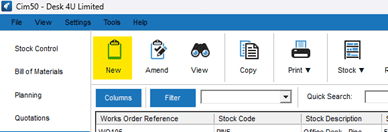
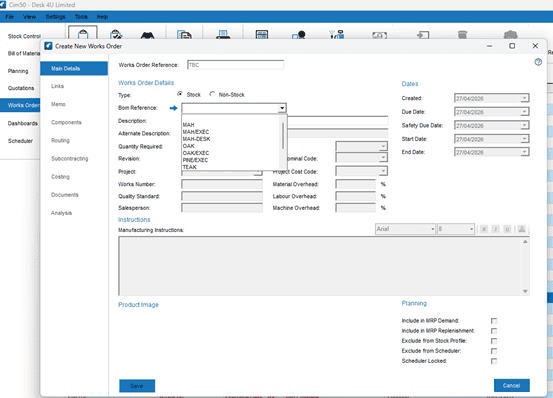
Firstly, start by opening the Works Order Module and click ‘new’. Simply choose the item you want to build then enter the quantity and the required date. You can link it to a Sales Order or keep it standalone that part is up to you.
Step 2:
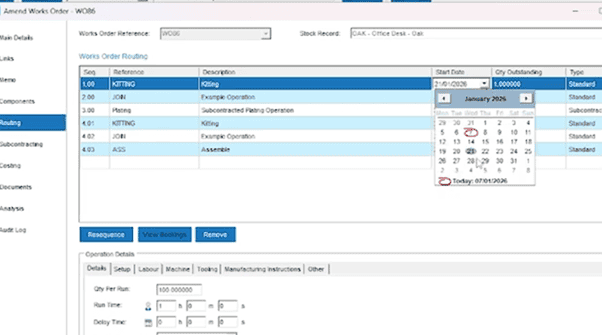
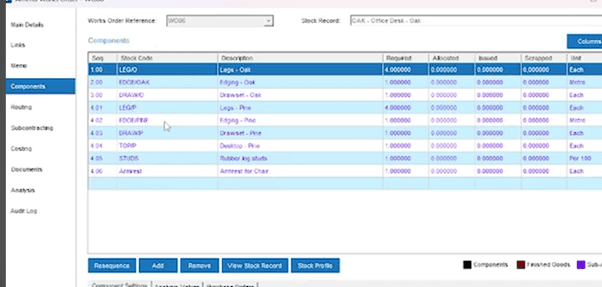
You can check the operations from the Bill of Materials and the component list and then check and if required, make any changes to particular dates or add notes to ensure your shop floor instructions are clear and accurate
Step 3:
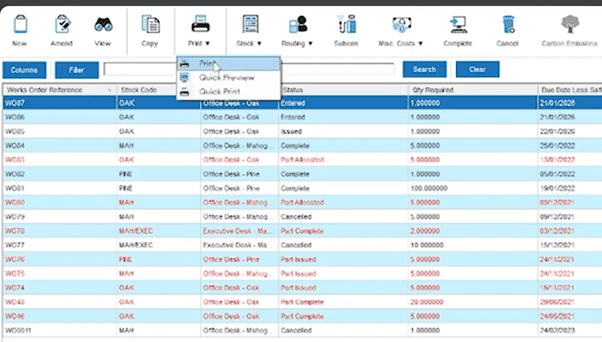
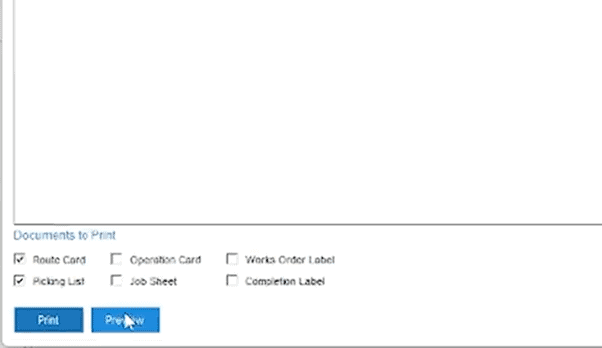
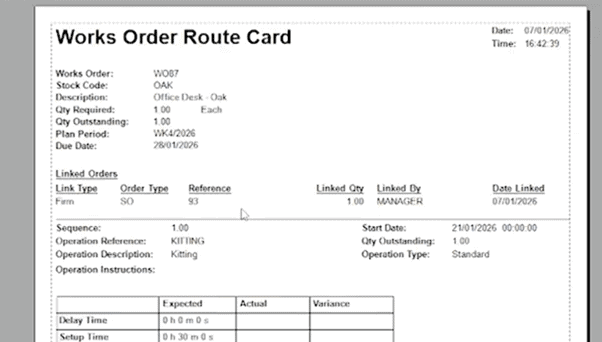
Printing shop floor paperwork is pretty simple to navigate. From the pictures below you should be able to see four different customisable standard layouts. Then simply print your in-progress and completion labels for easy tracking
Step 4:
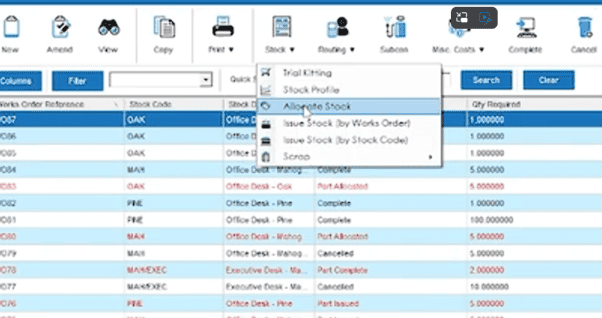
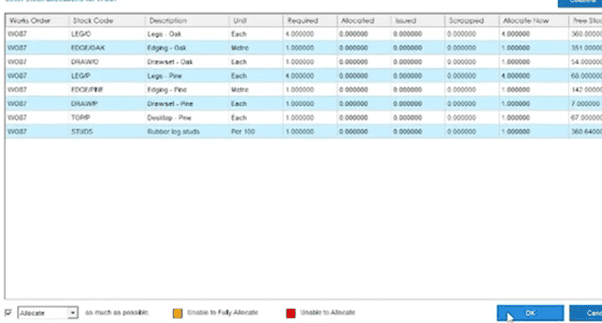
Allocate and issue materials, allocate your component stock, then issue it to the order. You can do this by manually entering quantities for each component, or by clicking ‘OK’ to allocate as much as possible. Cim50 automatically updates WIP and keeps full batch and serial traceability across stock control.
Step 5:
Record processing time against each operation can be done by entering timesheets or alternatively automatically captured via scanning (SFDC module) on and off operations as you work through them.
If you need subcontracting, Cim50 can facilitate these processes and automatically create the related documents. Find more information here.
Step 6:
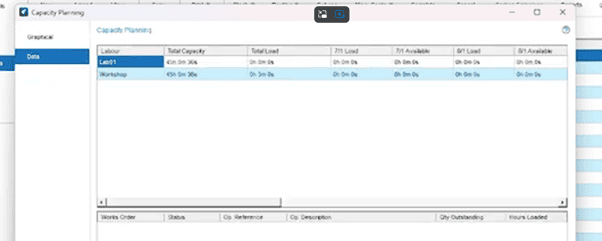
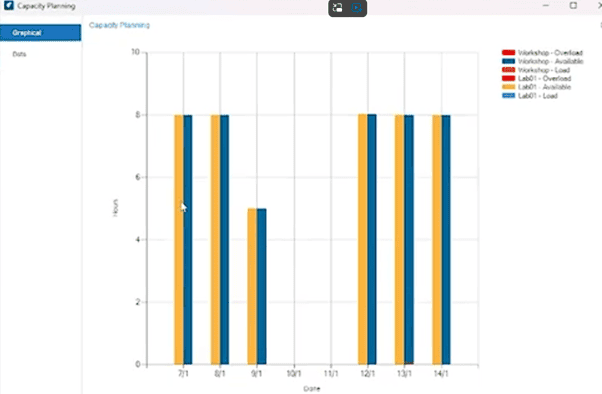
Use the enquiry screens to see real-time progress, check labour and machine loading with rough cut capacity planning, and export the Excel for deeper analysis if needed
Step 7:
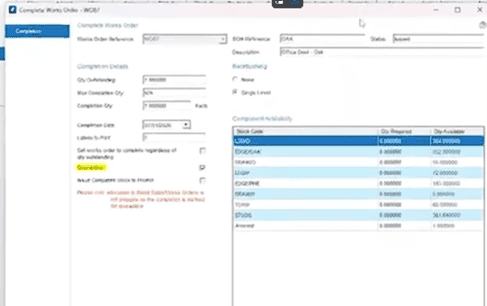
Once the build is finished, complete the works order. Confirm quantities, book finished goods into stock and print your completion labels
Step 8:
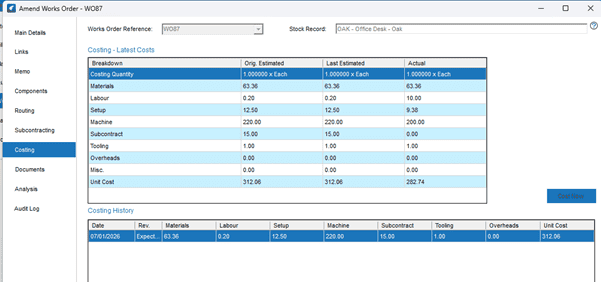
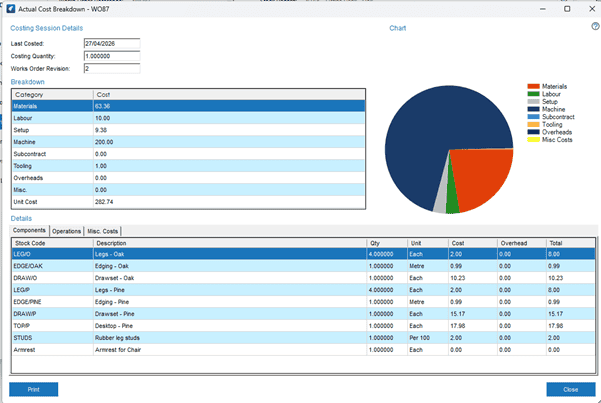
Finally, open the costing screen to compare expected versus actual costs- materials, labour, machines, subcontract, tooling, and overheads- so you can protect your margins on future jobs
We hope this ‘How To’ guide has helped!
This Step-by-step article has covered all you need to know to confidently navigate the Cim50 work orders module including planning, processes, costs and more all in one integrated module. For more helpful ‘How To’ articles, visit our website.