Business Central is a strong fit for UK manufacturers that have outgrown entry-level accounting software, spreadsheets or an ageing legacy system and want finance, stock, manufacturing and reporting in one platform. For a straightforward roll-out, Qi typically completes projects in around four to five weeks, while a fully managed manufacturing implementation often requires an initial project budget of £25,000 to £45,000, depending on data migration, training and customisation.
It is particularly suitable where manufacturing capability, traceability and joined-up business information are becoming constraints on growth. It may not be the right choice where highly specialist requirements would demand extensive bespoke development, or where the current system still meets the business’s needs.
This guide is designed to help you decide whether Microsoft Dynamics 365 Business Central deserves a place on your ERP shortlist before you invest in a detailed selection process.
Table of Contents
Is Business Central a good choice for start-ups and small businesses?
Many businesses begin with accounting packages and spreadsheets because they are inexpensive and easy to deploy. However, as transaction volumes increase, manual processes often become a barrier to growth.
Business Central allows organisations to:
- Automate routine financial processes
- Improve cash flow visibility
- Manage stock and purchasing more effectively
- Create professional sales and purchasing workflows
- Gain access to real-time reporting
- Scale from a single user to as many users as you need, over time
For businesses comparing ERP options against the ongoing cost of maintaining multiple disconnected systems, Business Central can often provide a scalable platform that grows alongside the organisation.
Will Business Central support a growing business?
As organisations expand, manual processes, spreadsheets and disconnected applications can create inefficiencies and operational risks.
Business Central helps businesses:
- Reduce administration time
- Improve operational efficiency
- Support larger transaction volumes
- Increase visibility across departments
- Standardise processes and controls
- Scale without continually adding administrative headcount
The result is often a more efficient organisation that can focus on growth rather than managing systems and data.
Will Business Central be a strong replacement for legacy systems?
Many established businesses remain dependent on ageing software that is difficult to support, lacks integration capabilities and limits operational visibility.
Moving to Business Central can provide:
- A modern cloud-based platform
- Improved security and resilience
- Easier integration with Microsoft 365 and other business applications
- Real-time reporting and analytics
- Reduced reliance on bespoke legacy systems
- A foundation for future digital transformation initiatives
For organisations looking to improve profitability, reduce operational costs and modernise their technology estate, Business Central offers a strong alternative to traditional on-premise ERP solutions.
Can our current data be migrated into Business Central?
Data migration is often one of the most significant elements of any ERP implementation and can have a substantial impact on project costs.
When discussing migration with potential partners, it is important to understand exactly what data will be transferred and how much historical information will be retained.
Typical migration options include:
Opening Balances Only
- Customer balances
- Supplier balances
- General ledger balances
- Current stock levels
This is generally the lower-cost option but means historical transactions remain in the legacy system.
Full Historical Migration
- Financial history
- Customer and supplier transactions
- Inventory transactions
- Manufacturing history
- Sales orders and purchase orders
While this approach typically costs more, it often delivers a smoother transition for users because historic information remains available within Business Central from day one.
Can Business Central be customised?
Business Central is designed as a development environment, so extensions can be developed for specific business requirements. These developments sit within the system rather than relying on a separate interface. Business Central can also share data with most modern applications via API connections.
Does Business Central require special hardware?
Business Central is wholly cloud based and does not require hosting of any kind. Hosting across Microsoft data centres is included in your licence cost and these data centres are always located in the UK (for UK businesses). The only hardware requirements are a modern device: PC, laptop, tablet or telephone and an internet connection.
What is Business Central?
The sections below summarise the headline functionality included in Microsoft Dynamics 365 Business Central.
Business Central is browser-based, hosted by Microsoft and HMRC-compliant. It runs on a single database, so authorised users can work from the same up-to-date business information.
Business Central removes the pain of synchronising data across modules that are ‘bolted’ together to provide the functionality you need. It also removes the pain of compatibility between versions. ‘I upgraded the financials package and now my MRP isn’t working’. That just goes away with Business Central. Forever.
Structural note, on our side rather than yours. There are three empty headings in the document that would publish as blank lines, and no heading styles at all, so every heading is currently bold body text. We will apply the H1, H2 and H3 structure at upload and clear the empty ones. Nothing for you to do.
Will Business Central work at our current or future overseas sites?
Business Central is also offered with the option of versions (globalisations) for specific countries.
This enables organisations to use a single common solution across international sites, with the capability to report across all companies within a group, seamlessly. Using a common solution enables organisations to share knowledge and unify processing practices where practical.
Does Business Central offer licensing options tailored to function and user needs?
The answer is yes. Not every business requires every module, and not every licence level provides access to the same functionality. Business Central licensing can be tailored around functionality and user requirements. The first consideration as part of your ERP review, is whether you require Business Central Essentials or Business Central Premium.
What is included in Business Central Essentials?
The Business Central Essentials financial management features below provide a complete accounting system for managing the financial health of the business.
| Feature | What it does |
| General Ledger | Central location for all financial transactions and nominal accounts. |
| Account Schedules | Creates management accounts, P&L reports, balance sheets and custom financial reports. |
| Cash Management | Tracks cash flow, payment forecasts and bank balances. |
| Multiple Currencies | Buy and sell in different currencies with automatic exchange rate calculations. |
| Receivables (Sales Ledger) | Manage customer accounts, outstanding invoices and credit limits. |
| Sales Invoicing | Create and email invoices directly from sales transactions. |
| Payables (Purchase Ledger) | Manage supplier accounts and outstanding payments. |
| Purchase Invoicing | Process supplier invoices and match them to purchase orders. |
| Subscription Billing | Automate recurring invoices for service contracts, maintenance agreements and subscriptions. |
Supply Chain Management
The Business Central Essentials supply chain management features below provide end-to-end control of purchasing, stock and sales processes.
| Feature | What it does |
| Sales Order Management | Create quotations, convert to orders and track fulfilment. |
| Sales Return Orders | Manage customer returns and credit processing. |
| Purchase Order Management | Raise and approve supplier purchase orders. |
| Purchase Return Orders | Manage returns to suppliers for faulty or unwanted goods. |
| Salespeople/Purchasers | Track performance by salesperson or buyer. |
| Inventory Management | Real-time stock control across warehouses and locations. |
| Assembly Orders | Assemble products from component parts without full manufacturing requirements. |
| Stock Replenishment | Automatically suggest stock purchases based on demand and reorder levels. |
The Business Central Essentials contact management features below provide built-in CRM functionality without requiring a separate CRM subscription.
| Feature | What it does |
| Contacts | Store customer, supplier and prospect information. |
| Interactions | Record calls, meetings, emails and communications history. |
| Sales Opportunities | Manage sales pipeline and forecast potential revenue. |
| Tasks | Create activities and reminders for sales teams. |
| Campaigns | Manage marketing campaigns and measure effectiveness. |
This built-in CRM functionality is often sufficient for many SMEs before they need a dedicated Dynamics 365 Sales solution. Microsoft Dynamics 365 Business Central.
The Business Central Essentials reporting and analysis features below turn operational data into useful management information.
| Feature | What it does |
| Dimensions | Analyse transactions by department, project, location or cost centre. |
| Reason Codes | Capture why transactions occurred for auditing and reporting. |
| Sales Analysis Reports | Measure customer, product and sales performance. |
| Management Reports | Produce dashboards, KPIs and board-level reports. |
What functionality sits within Business Central Premium?
Business Central Premium includes everything in Business Central Essentials, plus two major functional areas:
Service Management
The Business Central Premium service management features below are designed for businesses that maintain, repair or support customer equipment.
| Feature | What it does |
| Service Orders | Manage repair, maintenance and service jobs. |
| Service Contracts | Track service agreements and SLAs. |
| Service Scheduling | Plan engineer visits and allocate resources. |
| Service Pricing | Manage labour rates, contracts and service charges. |
| Service Item Management | Track equipment history, warranties and maintenance records. |
Advanced Manufacturing
The Business Central Premium advanced manufacturing features below are designed for companies that manufacture products rather than simply buying and selling stock.
For a more detailed breakdown of production planning, bills of materials, production orders and capacity planning, see Microsoft’s official Business Central manufacturing documentation.
| Feature | What it does |
| Manufacturing BOMs | Define the components required to build products. |
| Production Orders | Manage work orders and production activities. |
| MRP (Material Requirements Planning) | Calculates what materials need purchasing and when. |
| MPS (Master Production Scheduling) | Creates production schedules based on demand forecasts. |
| Capacity Planning | Helps balance workloads across machines and resources. |
| Machine Centres | Plan and monitor manufacturing resources. |
| Forecasting | Predict future demand and production requirements. |
| Version Control | Manage revisions of products and BOMs. |
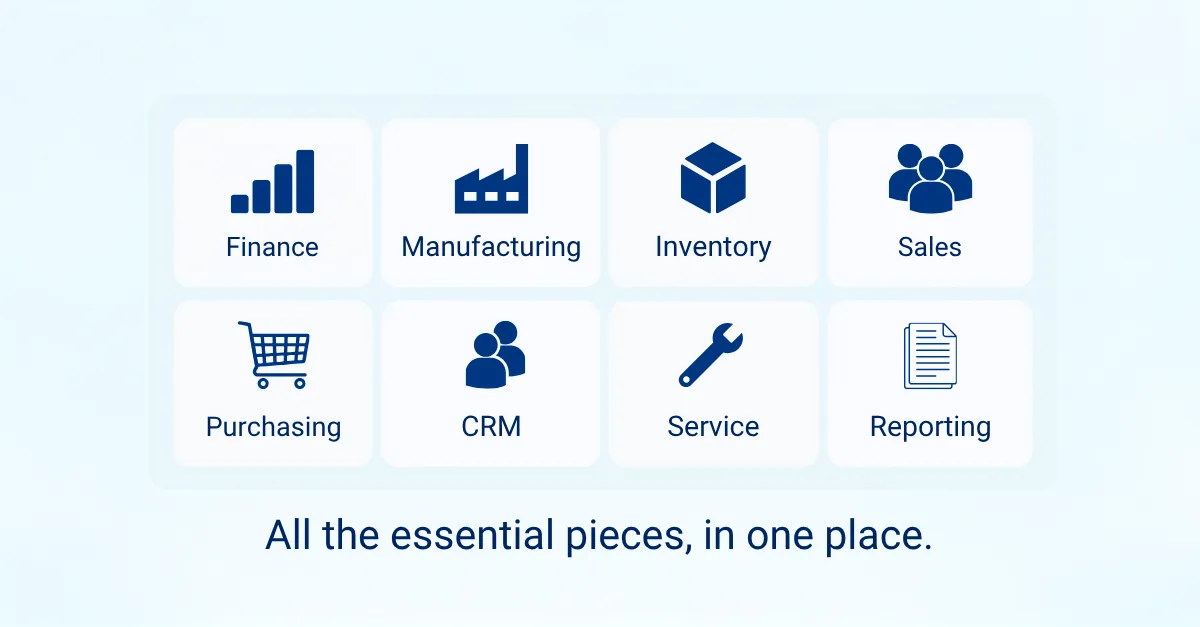
Business Central Premium therefore becomes a complete ERP solution covering finance, CRM, inventory, purchasing, sales, warehousing, service management and manufacturing in one system.
How long does a Business Central project take?
Will your project take weeks or months to complete?
Business Central is a scalable flexible, robust and highly functional ERP great for manufacturers, distributors and assemblers due to its licensing options. A typical project can take as little as 4 – 5 weeks from start to finish for a simple roll out, and provides a single SQL totally browser-based ERP solution providing financials, manufacturing, inventory, CRM and some limited HR functionality.
As a point of interest, the fastest complete implementation Qi has completed took 10 days. Our customer moved from Sage 50 and Sage 50 Manufacturing to Business Central Premium and was live and processing on Day 10. This is not possible for all businesses and their projects, but our point is – projects do not have to be long, protracted, expensive and painful!
Business Central implementation case study
The business had outgrown Sage 50 Accounts and Sage Manufacturing, with legacy system limitations affecting visibility, efficiency and future growth.
Read the Adan Ltd 10-day Business Central implementation case study.
Business Central is a development environment by design so it can be customised and will happily integrate with other solutions you may use unrelated to ERP.
How long your roll-out takes will depend on the scope of your project, any development required and integrations with industry-specific platforms that are critical to your business. No two businesses are identical, but we aim, where possible, for weeks rather than months.

How much does Business Central cost?
Let’s cut to the chase. In researching what is the optimum solution for your business to move to from a system that just doesn’t deliver the manufacturing capabilities you need or is out of support or just not what you need anymore – cost isn’t everything, but it is important.
Project costs are explained in more detail below, but the headline Business Central cost is this: budget around £25,000 to £45,000 for the initial project.
Business Central licensing is subscription-based and includes automatic upgrades and hosting.
Licensing costs are controlled by Microsoft, and it depends whether you need full manufacturing in your ERP or assembly orders and inventory only.
Modern solutions do not work on the concurrent user basis.
Business Central is no different and works on a named-user basis.
As an example, think of a 10 – 20 user band of Sage 50 Accounts installed on 35 machines that anyone can be set up to access as long as no more than 20 are logged in at the same time. That is old technology concurrent use. Not new technology named use.
A named user can have Business Central open on up to five devices for convenience, such as a PC, laptop, mobile or tablet, but cannot process data on more than one device at the same time because this would contravene Microsoft’s licensing rules.
The cost of Business Central depends on the licensing you need and this article provides the current licensing costs based on an annual commitment with payment in advance. Monthly commitment and payment are available but will cost you 20% more.
Business Central licensing levels
When planning Business Central licensing for your organisation, think about how users interact with the system, rather than simply the number of employees who need access. Microsoft offers three licensing options to help organisations balance functionality and cost.
What is a full Business Central user licence?
A Full User licence is designed for employees who actively work within Business Central and need to create, edit and process transactions.
Typical users include:
- Finance teams
- Purchasing staff
- Sales order processors
- Inventory controllers
- Production planners
- Customer service teams
What a Full User can do:
- Create and post sales invoices
- Process purchase orders
- Manage stock movements
- Run financial transactions
- Maintain customer and supplier records
- Access reporting and analysis tools
- Use manufacturing and service management functions (Business Central Premium licence only)
Full Users have access to the complete functionality available within their assigned licence type (Business Central Essentials or Business Central Premium), subject to security permissions.
(Prices reflect Microsoft RRP at time of publishing September 2026. For the latest UK subscription prices and a comparison of the available licence types, you can also refer to Microsoft’s official Business Central pricing page.)
| Licence Type | Annual Cost per User |
| Business Central Essentials Full User | £738 + VAT |
| Business Central Premium Full User | £1,015.20 + VAT |
Support costs are additional and supplied through your Business Central partner.
What is a Business Central Team Member licence?
A Team Member licence is best thought of as a read-only user licence with limited update capability.
Typical users include:
- Department managers
- Shop floor supervisors
- Sales representatives
- Warehouse personnel needing visibility
- Directors requiring reporting access
What a Team User can do:
- View data across the system
- Access reports and dashboards
- Read customer and supplier information
- View stock availability
- Update certain records and perform limited tasks
What a Team User cannot do:
- Process core financial transactions
- Perform significant data entry
- Post orders or invoices
- Carry out functions requiring a Full User licence
Annual cost
| Licence Type | Annual Cost |
| Team Member | £74.40 + VAT |
The Team Member licence costs the same whether you use Business Central Essentials or Business Central Premium.
What is a Business Central Device licence?
A Device Licence is assigned to a specific computer, tablet or terminal rather than an individual user.
This is particularly useful when multiple employees share a workstation throughout a shift.
Typical examples include:
- Shop floor terminals
- Warehouse workstations
- Goods-in and dispatch stations
- Time collection kiosks
- Shared production PCs
What can a Device licence do?
- View operational data
- Process purchase orders
- Record production activity
- Capture labour and working times
- Adjust inventory quantities
- Manage warehouse transactions
The licence is tied to the device, allowing multiple employees to use it, provided they are not using it simultaneously.
Annual Cost
| Licence Type | Annual Cost |
| Device Licence | £415.20 + VAT |
The Device Licence costs the same whether you use Business Central Essentials or Business Central Premium.
Estimating annual running costs
A simple budgeting approach is:
Annual Licence Cost + circa 25% Support & Maintenance = Annual Running Cost
Example
| Licence | Quantity | Annual Cost |
| Premium Full Users | 10 | £10,152 |
| Team Members | 5 | £372 |
| Device Licences | 2 | £830.40 |
| Total Licences | £11,354.40 | |
| Estimated Support (25%) | £2,838.60 | |
| Estimated Annual Running Cost | £14,193.00 + VAT |
This provides a realistic annual budget covering both Microsoft licensing and partner support services.
Quick rule of thumb
- Full User = Creates and processes transactions.
- Team Member = Views information and performs limited updates.
- Device Licence = Shared workstation used by multiple employees.
This approach often enables businesses to reduce licence costs significantly by reserving Full User licences only for staff who genuinely require full system functionality.
How often does Microsoft increase licensing costs?
Microsoft issued a product price increase in November 2025, that was the first increase on the product price for 5 years. The increase was 10%.
In 2023, however, Microsoft opted to change pricing across the Eurozone to reflect global currency fluctuations. That increase was 9%. However, in February 2026 (true to their promise) Microsoft realigned costs DOWN by 7.4% to reflect the global currency market.
It must be considered that Sage UK have increased their costs by 8% in 2025 and 12% in 2026 with previous years reflecting the usual annual ‘adjustment’ increase of a few percent, depending on the Sage product in use.
Cim50 who provide MRP for Sage50 have this year increased their subscriptions by 25%, although this was the first increase for over 3 years.
All that can be acknowledged is that unlike perpetual licensing which is purchase outright, subscriptions costs are within the gift of the vendor. If there are to be increases, subscribers need to be assured that they are getting value for money.
Microsoft contributes around 15% of its profits to future investment and development in its Business Applications, of which Business Central is one.
Business Central project costs
What should be considered when selecting a Business Central partner?
The Business Central manufacturing partner you choose will have a major impact on both project cost and project success.
Consultancy rates, project methodologies and implementation timescales can vary significantly between partners. If you receive a proposal that includes an extensive implementation timeline, it is worth understanding exactly what activities are included and whether they genuinely align with your business requirements.
A longer project is not always a better project. The key question should be:
“Are we paying for activities that add value to our business, or are we paying for unnecessary complexity?”
Always ensure that the project being proposed is the project you actually need, rather than a standard template that may have been applied without fully understanding your requirements.

What is the recommended approach for Business Central training?
Training is another area where organisations often try to reduce costs. However, this can sometimes be a false economy.
Some businesses choose a self-learning approach using documentation, videos and online resources. Whilst this reduces initial expenditure, it can significantly increase the time required for staff to become proficient with the system.
Focused, role-based training generally delivers:
- Faster user adoption
- Increased productivity
- Fewer support requests
- Reduced implementation risk
- Better return on investment
The most successful projects typically provide training tailored to each department’s specific responsibilities rather than relying solely on generic system demonstrations.
What is a typical Business Central project cost?
A Business Central project can cost as little as £12,000, but data migration, training and customisations will be very limited, relying on the customer using internal resources rather than a Business Central partner. Unless you have that level of expertise among your staff, you should budget for your project differently and not opt for the DIY approach.
From £15,000, you can expect basic financial data to be migrated to Business Central with some very limited setup and overview training. You will still need to dedicate considerable internal resource to the project, but you will have your customers, suppliers and products set up in Business Central from day one of go-live.
Are you a manufacturer that wants a fully managed ERP project rather than a DIY approach?
As a guide, a Business Central Premium project (full manufacturing) including the following would typically require a budget in the region of:
£36,000
Assumptions:
- Financial data fully migrated
- Manufacturing data fully migrated
- CRM data migrated from a third-party system such as HubSpot
- Company-specific reports and document layouts configured
- User training across all functions and departments
- Full go-live support and project assistance
When should costs be challenged?
For a standard implementation, project costs significantly above £60,000 should be carefully scrutinised unless there are clear additional requirements such as:
- Significant bespoke development
- Multiple third-party integrations
- Complex API connections
- Advanced reporting requirements
- Industry-specific compliance functionality
- Extensive business process redesign
A simple but effective question to ask any implementation partner is:
“Where is the value being delivered?”
Every major consultancy activity should be linked to a tangible business benefit. If a substantial proportion of the budget cannot be clearly justified, it is worth exploring alternative approaches, implementation methodologies or industry-specific Business Central solutions that may achieve the same outcome more efficiently.
Budgeting rule of thumb
Estimate your Year One investment like this:
Annual licence costs + support costs (around 25% of licence cost) + one-off implementation cost.
This calculation provides a realistic picture of the total investment required to successfully deploy and support Business Central within your organisation.
When is Business Central not the right choice?
While Microsoft Dynamics 365 Business Central provides a comprehensive and highly flexible ERP platform, the standard solution may not always be the most appropriate fit for every organisation.
Businesses operating in highly specialist sectors often have unique processes, compliance requirements or operational workflows that can result in significant levels of customisation. Although Business Central can be tailored extensively, there comes a point where developing large amounts of bespoke functionality yourself can increase project cost, complexity and implementation timescales.
In these circumstances, it is worth seeking out a Business Central partner that offers a proven industry-specific solution built on top of the standard platform. It is also worth noting that Microsoft’s AppSource provides access to a wealth of prebuilt additional Apps you can subscribe to, to gain specific functionality such as graphical planner.
Highly specific industry solutions often provide functionality that has already been developed, tested and implemented across similar organisations. As a result, businesses can benefit from:
- Faster implementation times
- Reduced development costs
- Lower project risk
- Industry best-practice processes
- Easier future upgrades
- Greater return on investment
The first key consideration is whether your business requirements are genuinely unique or whether an existing industry solution already addresses them. In many cases, adopting a sector-specific Business Central solution can be a far more cost-effective route to success than commissioning extensive custom development that may already exist elsewhere in the market. The second key consideration is accepting that moving to a new solution is going to require change management and that may well include the way you process. Just because you have always done something ‘this way’, does not necessarily mean it is still the ‘right way’. Be open minded regarding any ERP you review.
What positive changes will a good ERP provide a manufacturing business?
- A truly integrated system will remove duplication of data entry, saving time and reducing errors. Purpleline Ltd case study details how the deployment of Business Central, rather than Sage 200 plus spreadsheets, increased productivity on assembly orders by 40%.
- The right ERP will provide consistent business information from one source rather than multiple separate systems. Gemini Prototyping and Manufacturing Ltd case study highlights a 60% saving on administration tasks after moving from Sage 50 to ERP.
- Your business will streamline and link up processes and procedures across the company. Producing your manufacturing plans take minutes not hours (or days).
- A robust and modern ERP will provide visibility throughout the whole system and enhanced data mining and reporting.
- Bills of Materials are no longer a headache as ERP will allow you to make bulk changes, and multi-level BOM functionality provides the full picture across the product hierarchy, from raw materials, to resource to transport costs.
- Your business will be able to gather work in progress information and inventory levels real time. No running out of materials or over ordering on others, the manufacturing requirements planning function will manage all of this for you.
- A good ERP should be scalable and flexible to meet your needs now and for the future.

Gemini Prototyping and Manufacturing Ltd case study
As the business expanded across multiple sites, Sage 50 Accounts and Sage Manufacturing could no longer support the level of estimating, shop-floor visibility, audit control, and reporting that Gemini needed.
Read the Gemini Prototyping and Manufacturing Ltd case study

Purpleline Ltd case study
The business needed to move beyond Sage 200, avoiding a costly server upgrade while improving assembly orders, stock control, serial number tracking and remote access.
Read the Purpleline Ltd case study
What are the risks of staying on your current business applications?
| Do these scenarios resonate? | Do you worry about this? |
| Outdated version of NAV, Sage 200, Sage 1000 etc | Security Risks Remaining on legacy software that cannot take your business forward and can leave your business vulnerable to data loss, data corruption and ‘downtime’. |
| Sage 50/Xero/QuickBooks/Access + Spreadsheets | Inefficiencies and Errors Duplication of data entry is common in the absence of a central system which leads to inefficient working processes and, most concerningly, the risk of human error. |
| Sage 50 + Spreadsheets | Not working in a joined-up way The use of disparate systems encourages the practice of working in silos which, in turn, encourages the misinterpretation of data that has often been manually collated and is thus at risk of human error. |
| Accounts + Disparate Systems (often home grown) | Continuity. If a key member of staff leaves who has designed their own ‘system’ which only they understand – the business is left with a ‘gap’ in their business applications which leads to confusion, errors and inefficiencies. |
| Finance package + Inventory Management + Operational information from spreadsheets and job cards. | Just guesstimating what estimated versus actual costs and profits might be Making decisions based on incomplete cost and margin information because that information is not readily available from a single source of truth, will always present a risk to profit and thus a risk to market position. You need to have good information whilst making decisions, not retrospectively when the damage has already been done. |
| Accounting package + MRP + unintegrated CRM | How can I empower my sales team whilst at the same time improve & monitor performance? The activity and performance of the Sales Team will remain extremely hard to monitor, measure and manage without an integrated CRM. The inability to assess the success of sales and marketing campaigns and to review the sales pipelines and individual sales conversion rates creates a sales and marketing silo. As an example, consider the impact of lost sales because stock levels and product lead times could not be quoted accurately at the point of enquiry. |
| Sage 50/Xero/QuickBooks + Spreadsheets/Paper based processes | Stock levels do not reliably run to immediate or forecasted demand & stock take is really challenging. The pressing issues of stock discrepancies will not be resolved without a good ERP, affecting cash flow and productivity. A real time, accurate view of stock levels across stock locations is the cornerstone of successful manufacturing. |
| NAV, Sage 50, Sage compatible MRP, Sage 200 + 3rd party Sage 200 compatible MRP | The cost of upgrading hardware and software every couple of years is prohibitive Regular server hardware upgrades and associated security costs will be greatly reduced or removed where a Business Central project is part of a wider infrastructure project to become serverless and wholly Cloud-based. Anything that requires on site or private Azure Cloud hosting carries additional expense. (Azure Cloud Hosting is not the same as a browser based application). |
| Outdated NAV, Sage 50, Sage compatible MRP, Sage 200 + 3rd party Sage 200 compatible MRP | I need my remote staff to be able to access a central system without additional cost and frustration. There can be increased costs and frustrating performance issues when accessing your current solutions via a VPN or similar, as opposed to a browser-based central ERP which is accessible from any internet capable device. |
| Sage 50 Accounts + MRP + CRM | Sage 50 has an upper user limit of 20 concurrent users. If you are planning to grow beyond 20 concurrent users – you will need to migrate to an alternative solution such as Business Central. |
Our recommendation
Before committing to any ERP implementation, invest time in identifying your business-critical requirements and industry-specific needs. Consider how the ERP you are reviewing aligns with your wider business strategy for growth or change. A good Business Central Partner (indeed any good ERP Partner) should be able to demonstrate how these requirements are met using standard functionality, existing industry solutions, or a combination of both.
The objective should always be to maximise the use of proven, supported functionality and minimise bespoke development wherever possible, helping to ensure a smoother implementation and lower long-term ownership costs.
Ready to speak to Qi?
If you are weighing up Business Central against staying with your current system, a short conversation with Qi can help you decide whether it is worth taking the next step. We can talk through your current setup, manufacturing requirements, likely licence mix and the factors that will influence project cost and timescale.
There is no obligation, and the aim is simply to establish whether Business Central is a sensible fit for your business.